Add presentation annotations to a process map
Add titles, labels, callouts, highlight boxes, and arrows on top of a process map without changing the BPMN.
Written By Jack Finnegan
Last updated 4 months ago
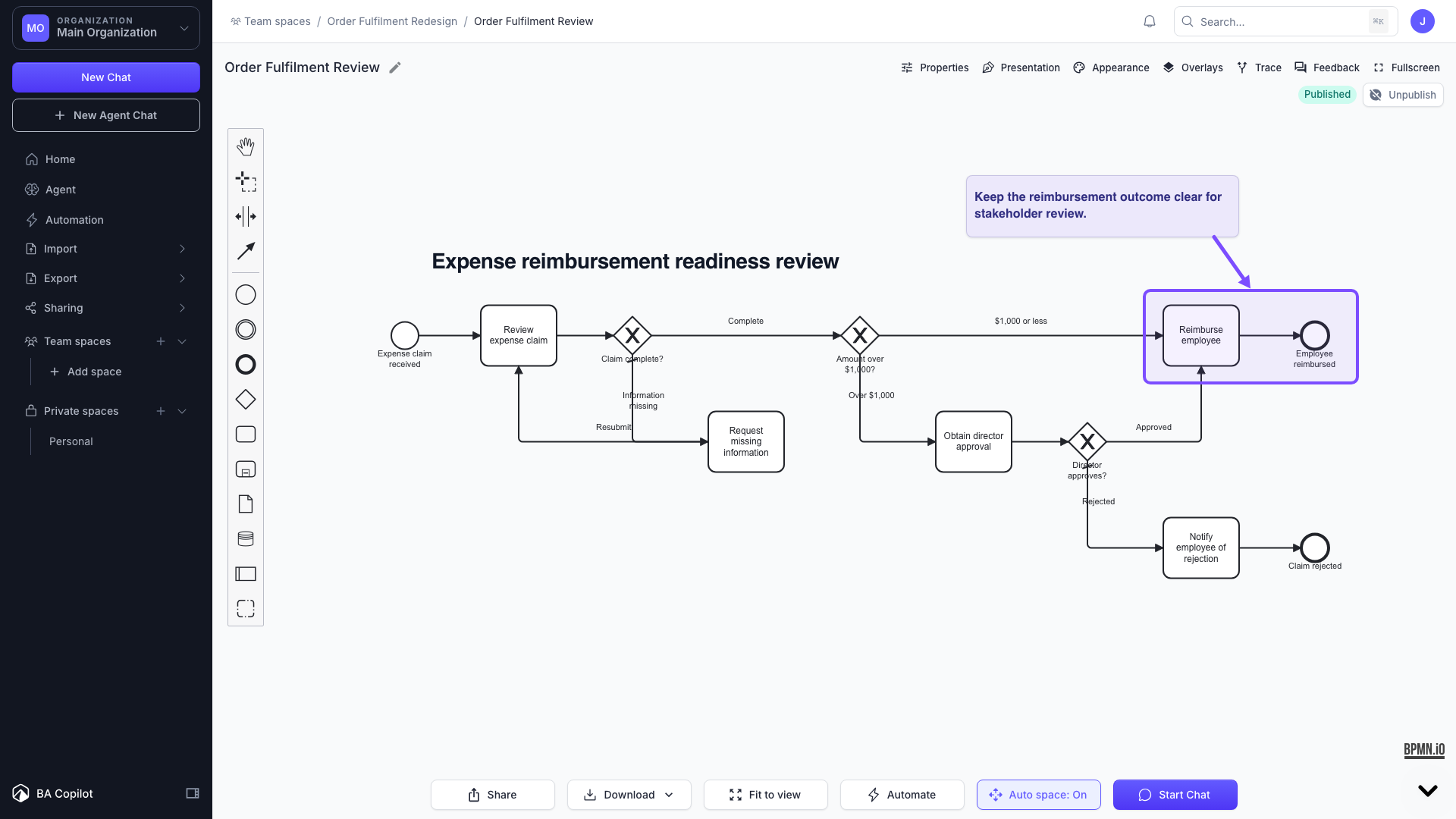
The Presentation Layer lets you add titles, labels, callouts, highlight boxes, and arrows on top of a process map without changing the underlying BPMN. Annotations are stored separately from the BPMN XML, so your exported BPMN stays standards-compliant.
Add annotations
Open a saved process map.
Turn on Presentation mode from the process-map actions bar.
Add a title, an element-anchored label, a highlight box, or an arrow from the presentation toolbar.
Drag, resize, edit text, and adjust colour and font as needed.
Annotations and AI regeneration
Annotations can follow specific BPMN elements. If a linked element is removed, the annotation is kept and surfaced in a review tray instead of being deleted.
Export
Enable "Include presentation layer" to add annotations to PNG and PDF exports. BPMN and Visio exports remain clean BPMN-only outputs.
Was this helpful?
Still need help? Ask the team