Share several process maps for external feedback
Send a group of process maps to a client or stakeholder with one secure review link, and track comments and approvals per map.
Written By Jack Finnegan
Last updated 2 months ago
A feedback collection lets you send several process maps to someone outside your BA Copilot organization using a single secure link. Reviewers do not need a BA Copilot account.
Use it for client review packs, audit scopes, operating models, and any set of related maps you would otherwise share as separate links.
Create a feedback collection
Open Sharing > External Feedback in the dashboard sidebar.
Select New feedback collection.
Choose the process maps you want reviewed. A collection holds up to 50 maps.
Add a collection name and, optionally, the reviewer’s email address.
Send the collection, or send a preview to yourself first to check what the reviewer will see.
The link is valid for 7 days. External feedback sharing requires a Pro plan.
What the reviewer sees
The reviewer opens a gallery showing every map in the collection, each with a thumbnail and its current review state.
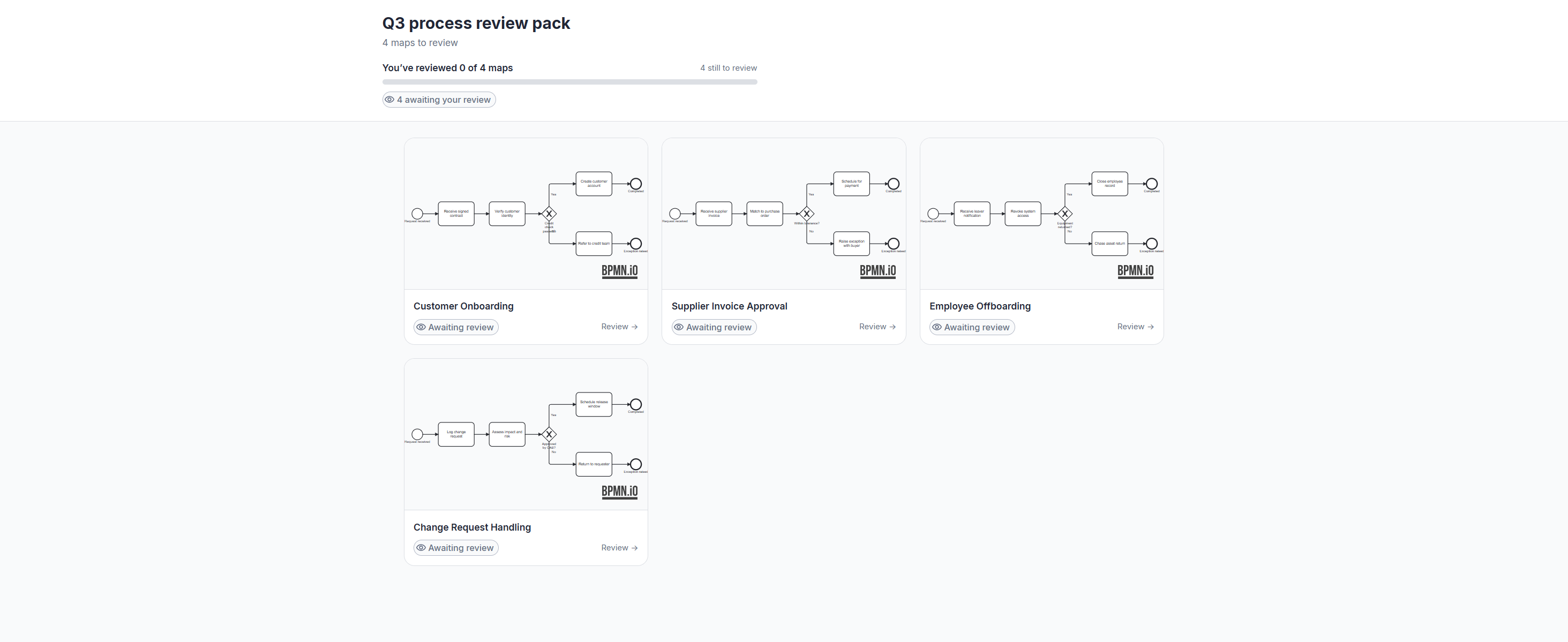
They pick a map, read it full size, and then:
Leave a comment on the whole map, or select a single element and comment on that.
Approve the map.
Request changes if it is not right yet.
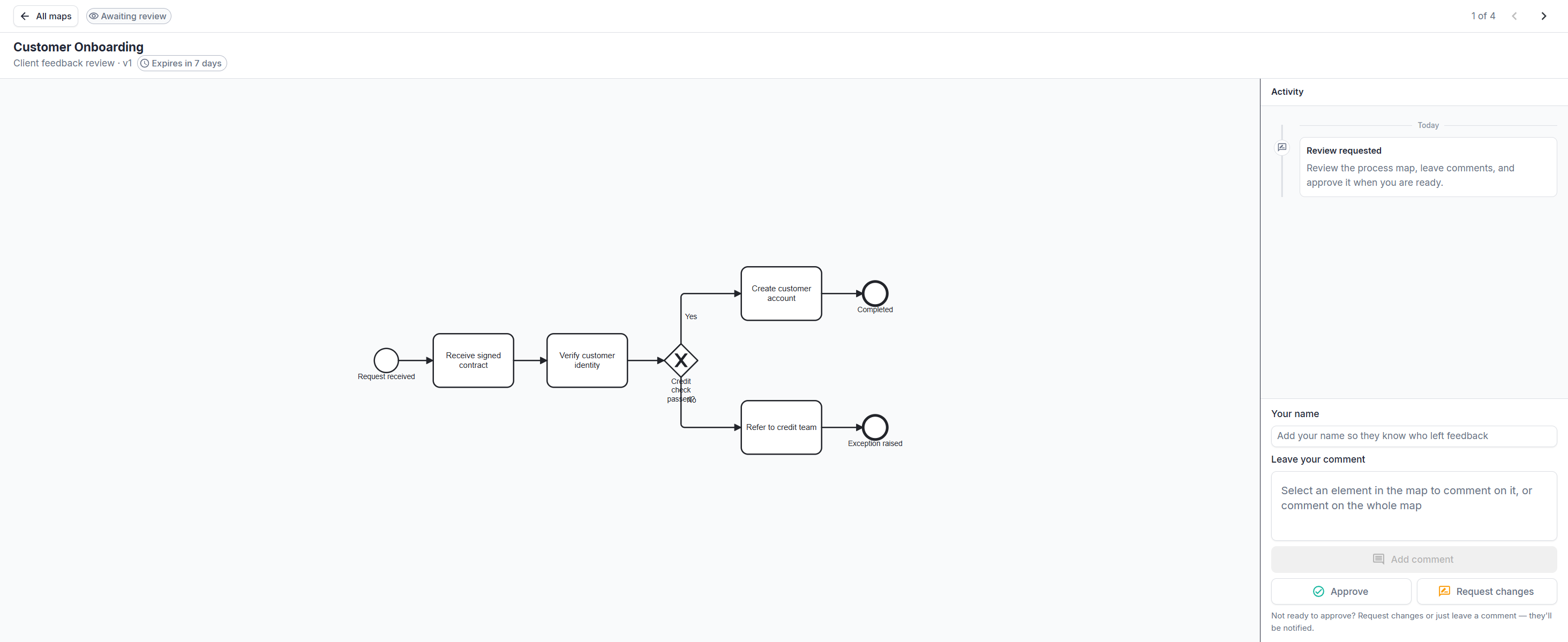
Each map keeps its own comments and its own approval state, so a collection can be part approved and part outstanding. A progress indicator shows how many maps have been reviewed.
Track and revoke a collection
Return to Sharing > External Feedback to see every collection you have created, how many maps it holds, review progress, the recipient, and the expiry date.
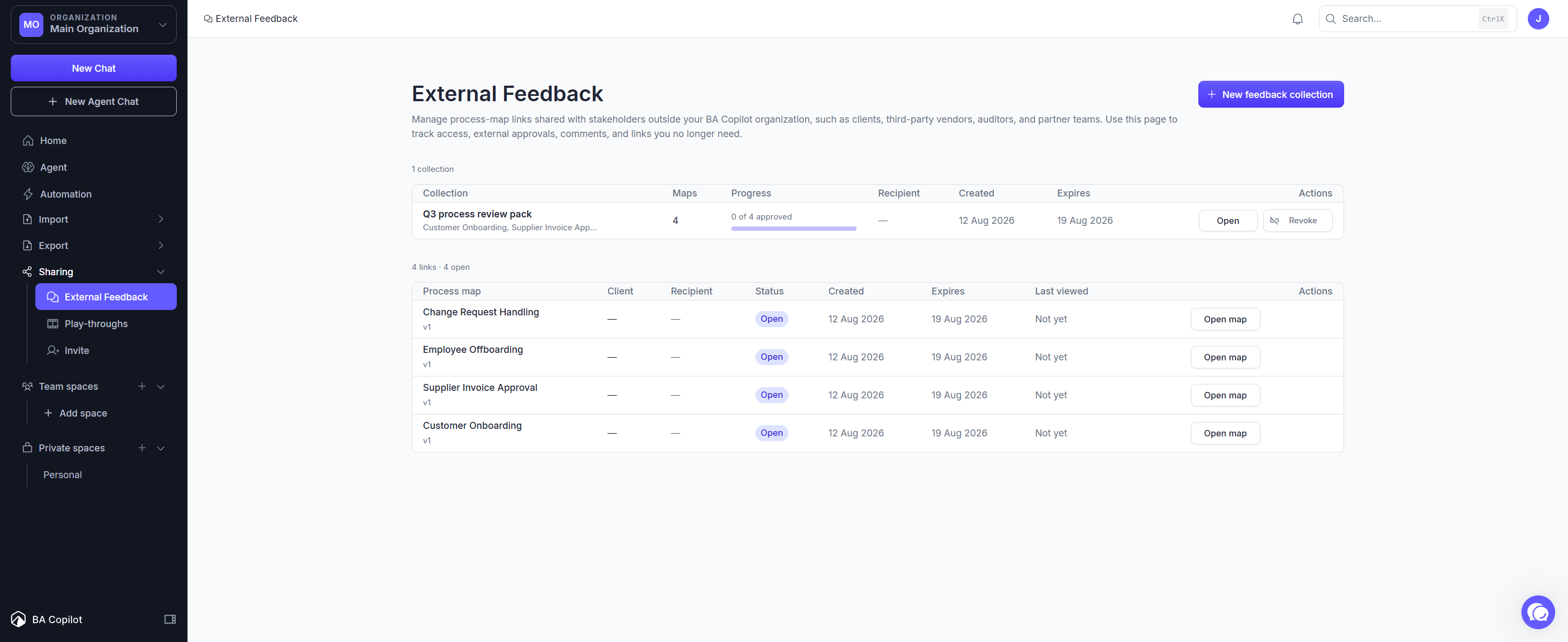
Select Revoke to disable the link immediately. Revoking a collection revokes every map link inside it.
Frequently asked
Does the reviewer need an account? No. The link is all they need.
Can I add maps after sending? Create a new collection with the full set. The original link keeps the maps it was created with.
What happens when the link expires? The link stops working after 7 days. Comments and approvals already left are kept.
Was this helpful?
Still need help? Ask the team