Trace paths through complex process maps
Read complex BPMN process maps with the Trace viewer: highlight connected paths on hover, pin a trace, and spotlight cross-lane and cross-pool handoffs.
Written By Jack Finnegan
Last updated 4 months ago
BA Copilot: Trace paths through complex process maps
Trace is a viewer tool for reading complex BPMN process maps. Open it from the process-map header to turn on three lenses that make routes and handoffs easy to follow.
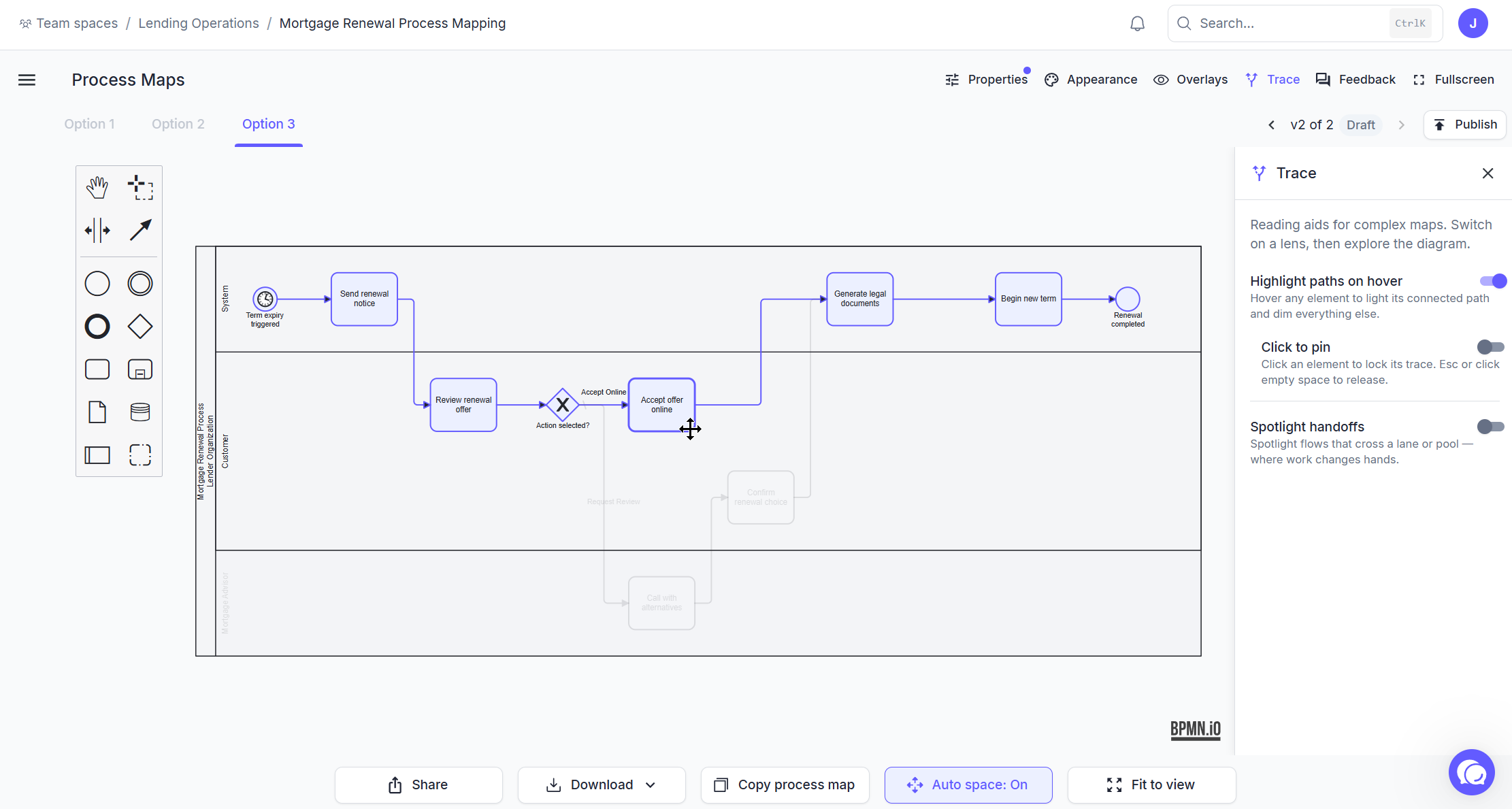
Open Trace
Open a process map and click Trace in the header.
The three lenses
Highlight paths on hover: hover any element to light up its connected route through the map and dim everything else. The trace follows sequence flows and message flows, so it works across pools.
Click to pin: click an element to lock its trace while you pan, zoom, and inspect.
Spotlight handoffs: mark flows that cross lane or pool boundaries in amber, so team and organisation handoffs stand out.
Trace reads the BPMN graph in the viewer without changing the process map.
Was this helpful?
Still need help? Ask the team