Compare As-is and To-be process maps
Link a current-state map with a future-state version and compare them side by side.
Written By Jack Finnegan
Last updated 4 months ago
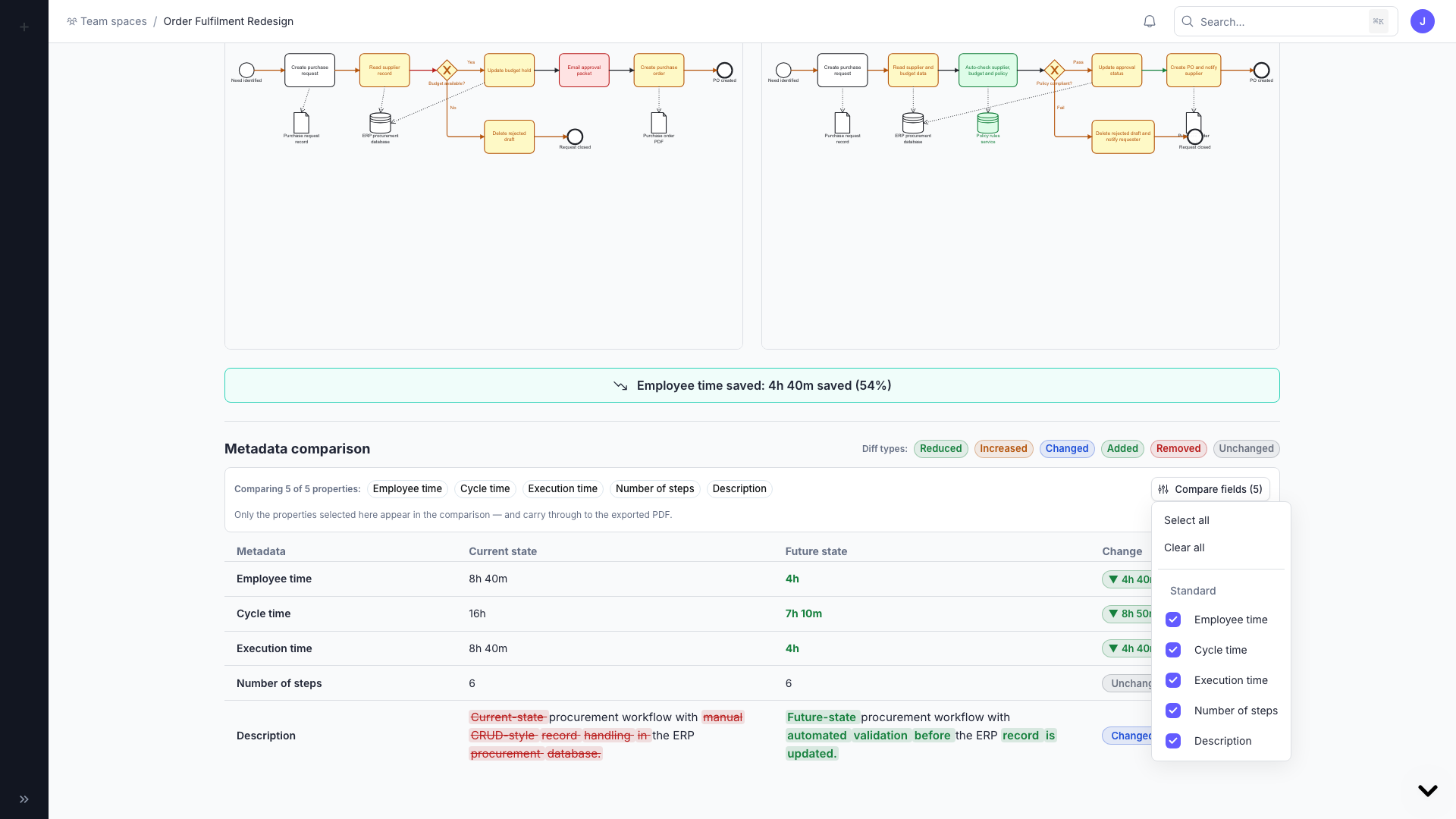
As-is / To-be comparisons let you link a current-state process map with a future-state version and compare them side by side.
Create a comparison
Open a workspace with at least two related process maps.
In the Contents tab, link a map as As-is and select its To-be counterpart.
Open the 'Current/Future' tab to see the side-by-side comparison.
Configure the comparison
Edit employee time saved.
Choose which standard or custom metadata fields to compare.
Open the fullscreen view to see highlighted diagram differences and the diff legend.
Export
Export a focused comparison as a PDF or Word document to share the before-and-after story with stakeholders.
Was this helpful?
Still need help? Ask the team