Tutorial: One-shot process model your entire organisation
Generate a linked Level 1 to Level 4 process model, with roles, RACI and an organisation directory, from your documents in one prompt.
Written By Jack Finnegan
Last updated About 2 months ago
Overview
You can now automatically generate a linked process model, with metadata, for your entire organisation, from one prompt.
This works on Local Edition (for laptop or desktop), and Cloud Edition.
Below is an example of an organisation doing this to model their operations.
1 Prepare relevant documents
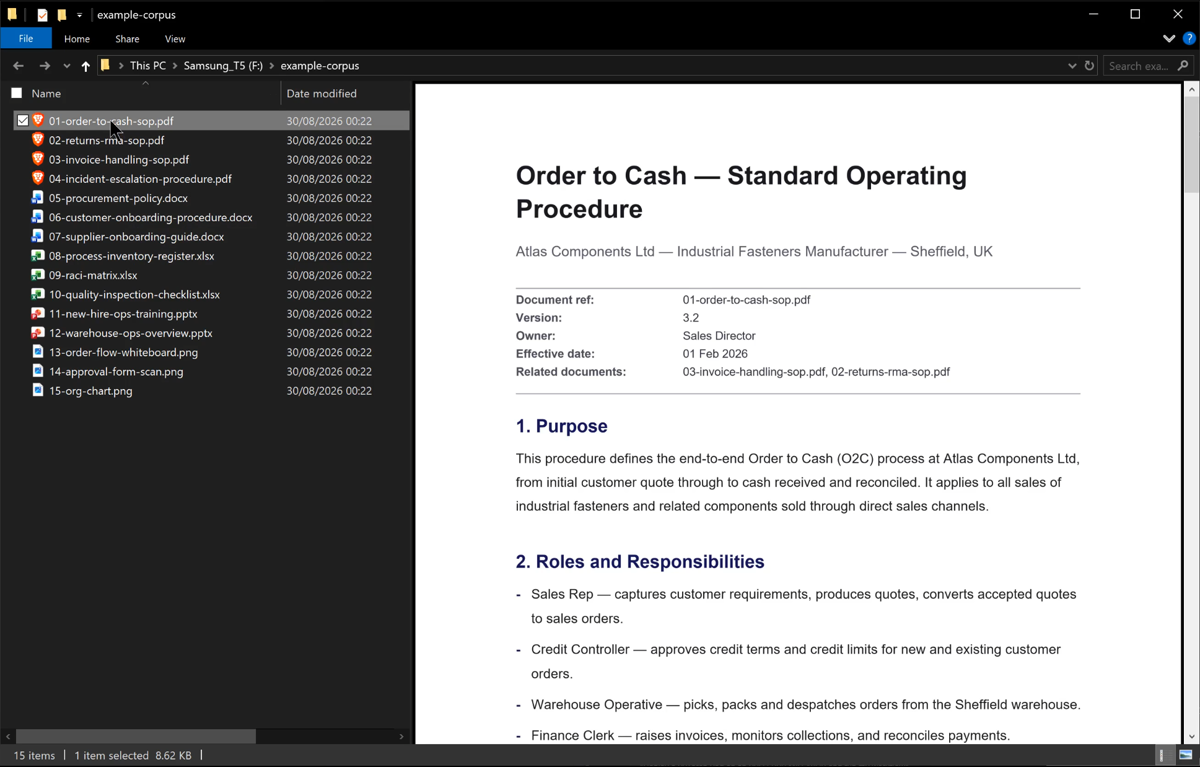
2 Ask for linked process model of your organization, in an agent chat
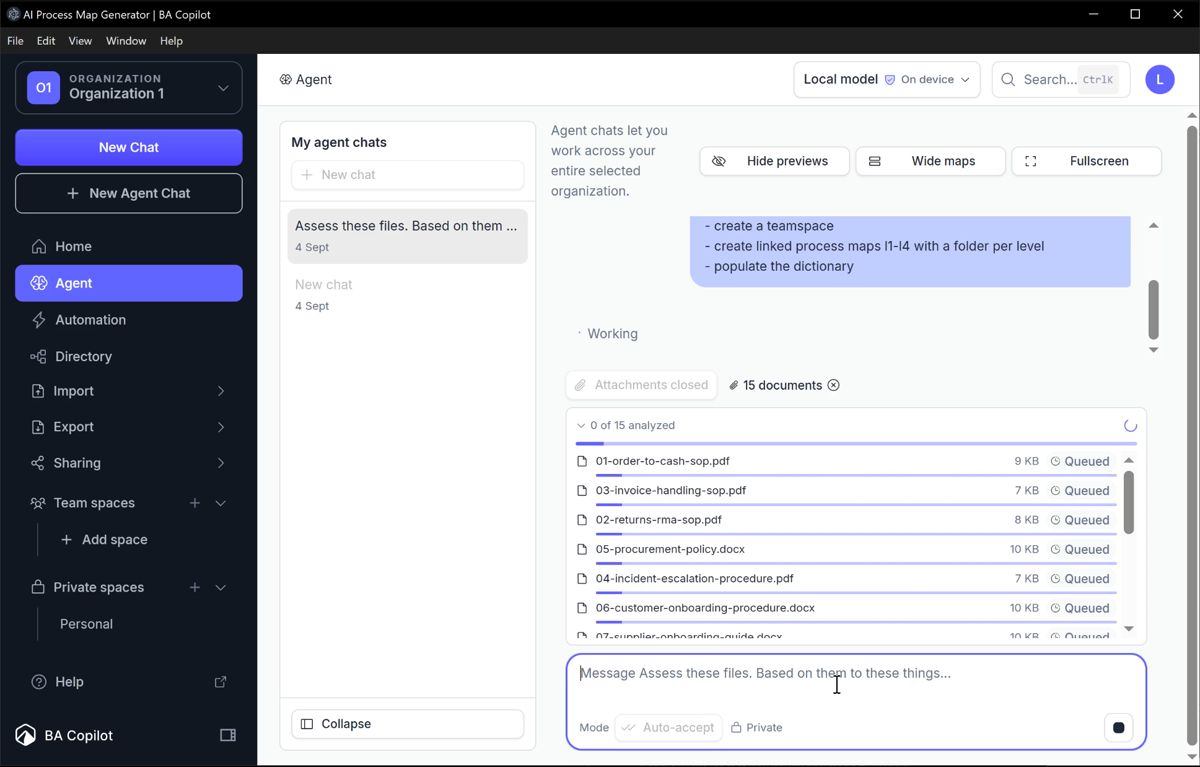
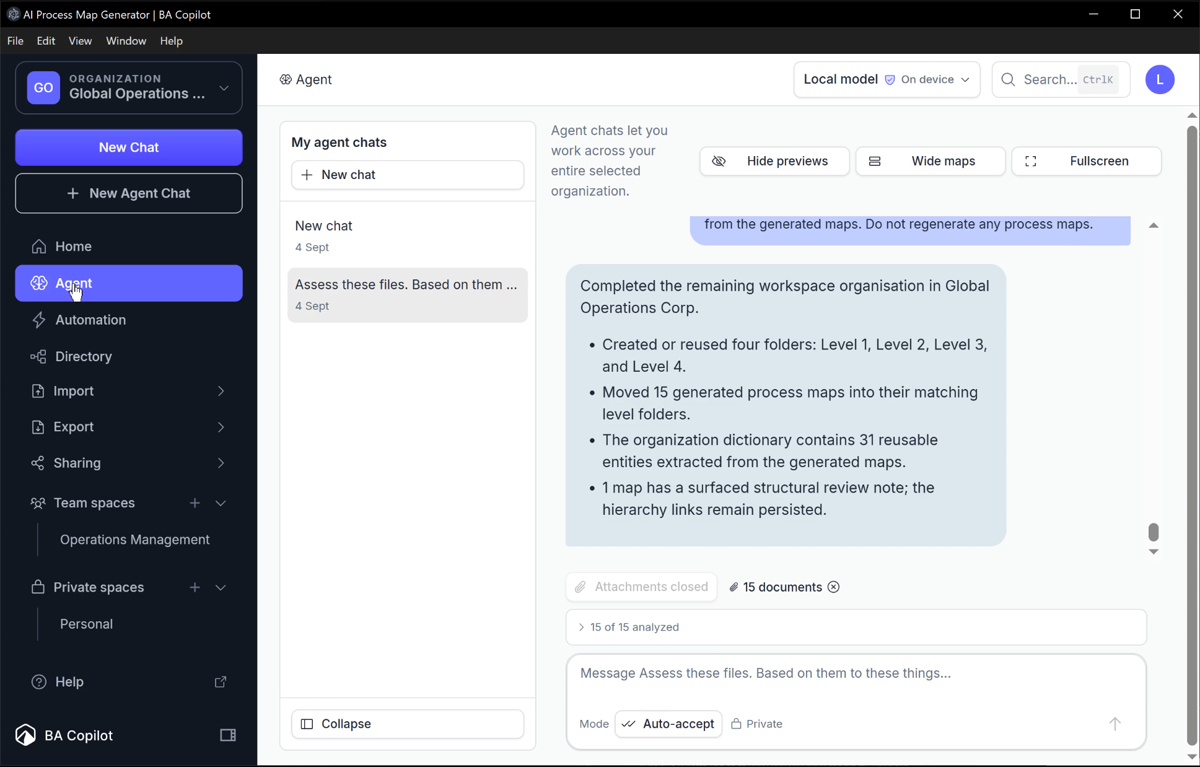
3 Observe: Organization renamed, team space created, and process model created
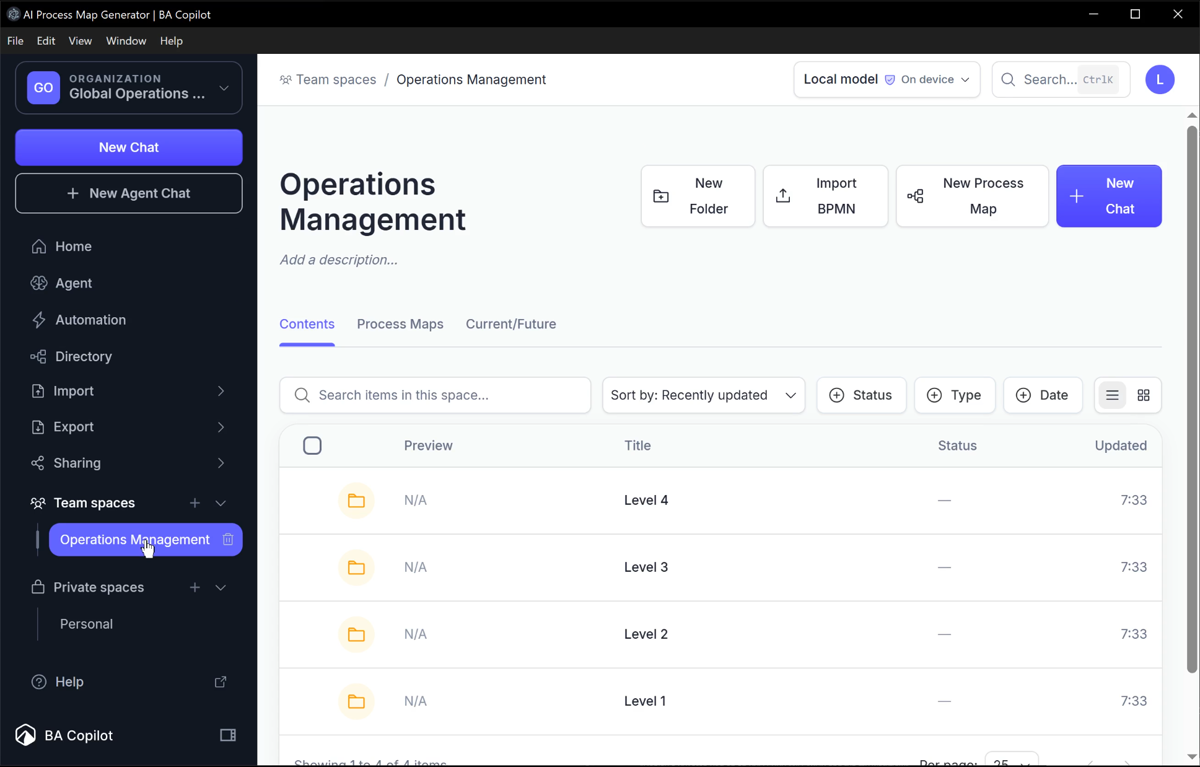
4 View process maps at levels 1 - 4
5 View a level 2 process map and the level 3 sub-process it calls
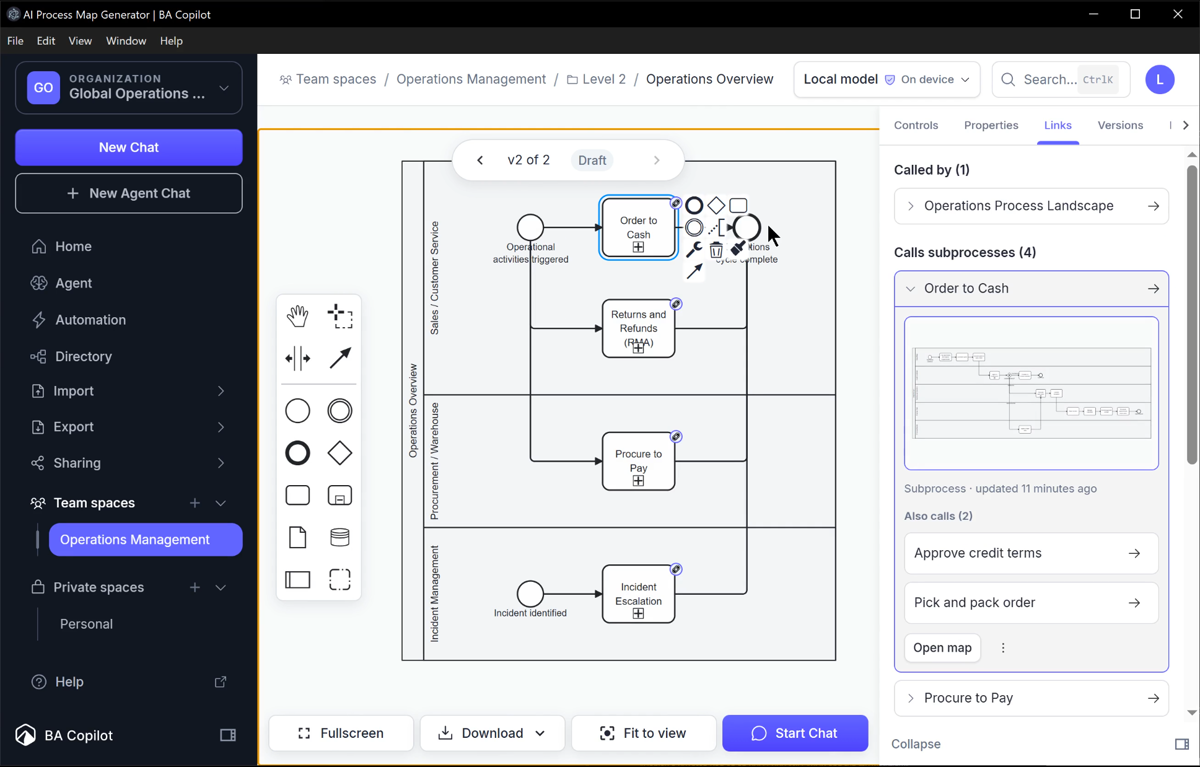
6 Observe how 3 roles were captured for this process map
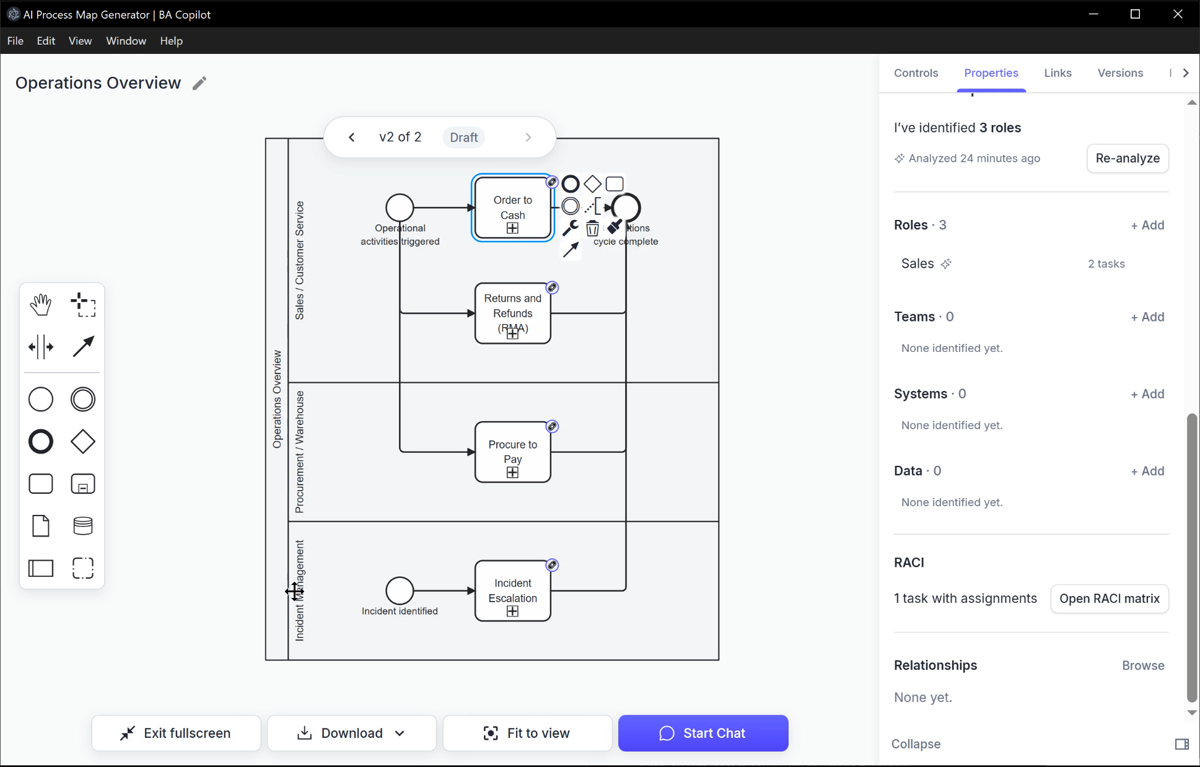
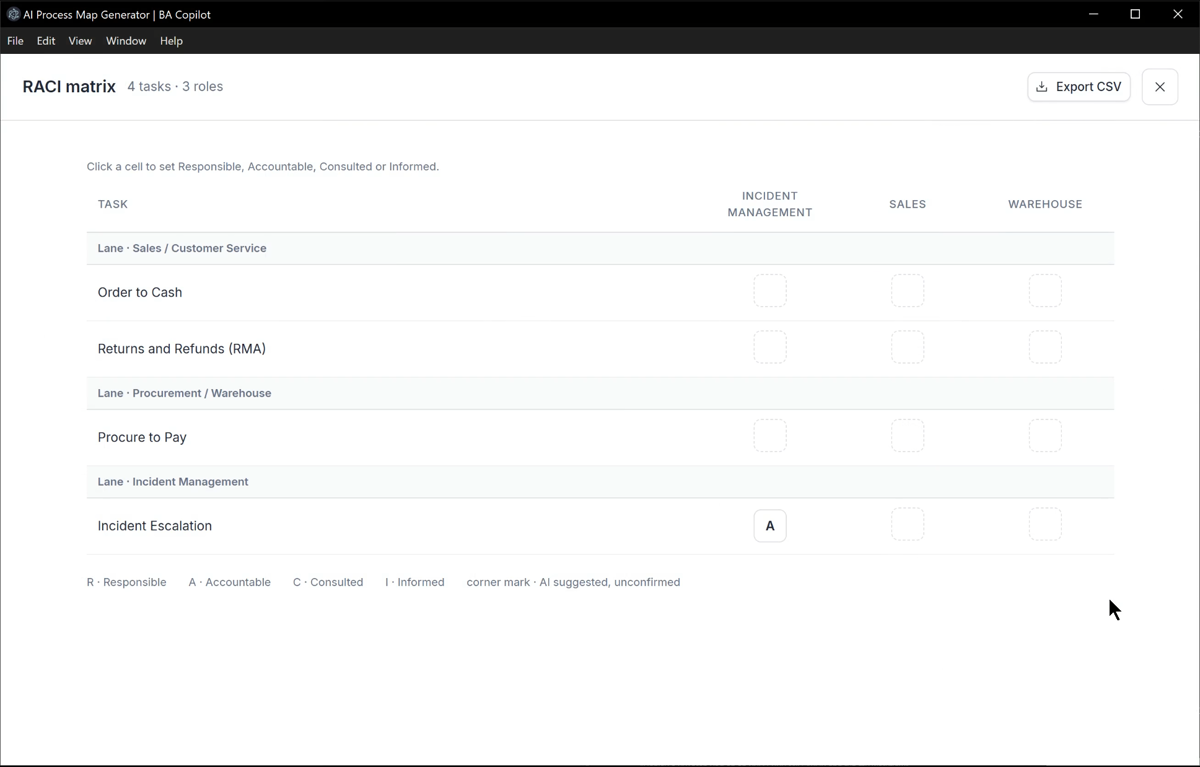
7 Update the RACI from the roles ('Incident management', 'Sales', 'Warehouse')
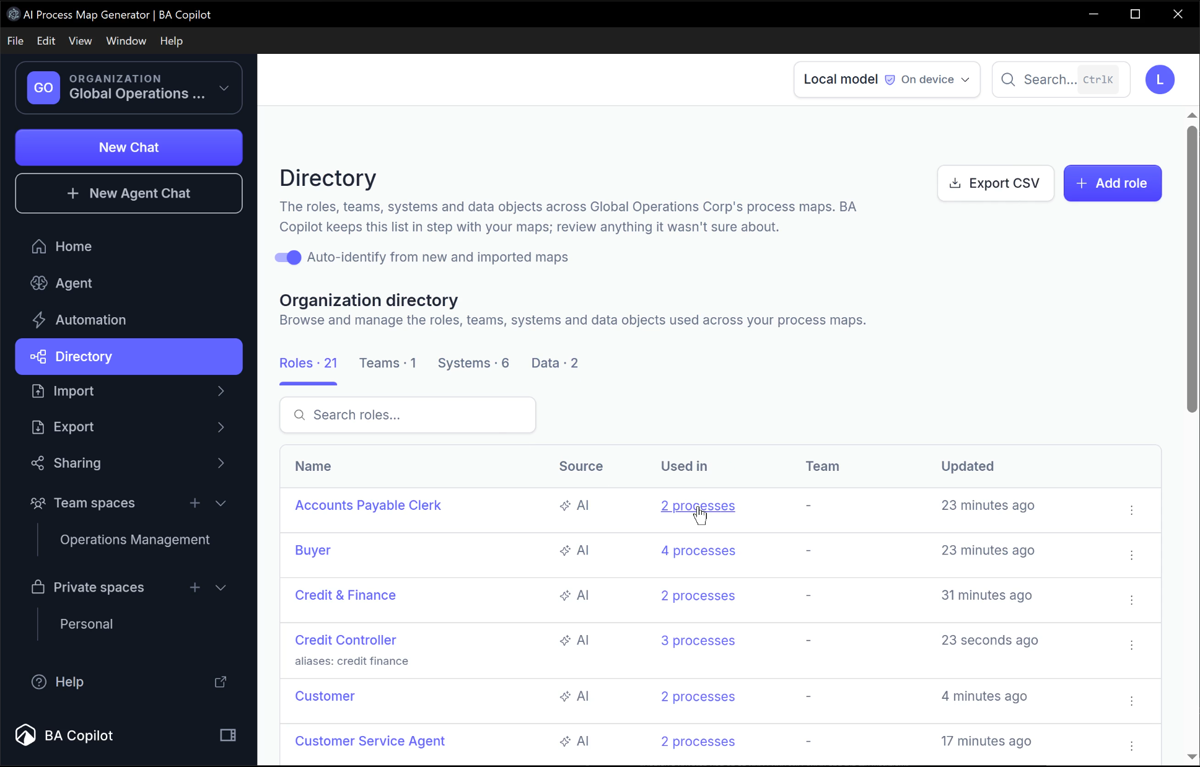
8 Review the directory that was auto populated with roles, teams, systems, and data
Try it on your organisation
Open the Agent, attach your documents, and ask for a linked process model of your organisation: https://ba-copilot.com/dashboard/agent.
Was this helpful?
Still need help? Ask the team