Create a clickable process play-through
Turn a BPMN process map into a step-by-step walkthrough for review and explanation.
Written By Jack Finnegan
Last updated 5 months ago
Use the Process Map Play-through Generator when a static BPMN diagram is difficult to explain in one view.
The play-through turns a BPMN file into a guided walkthrough, so stakeholders can step through the process path by path.
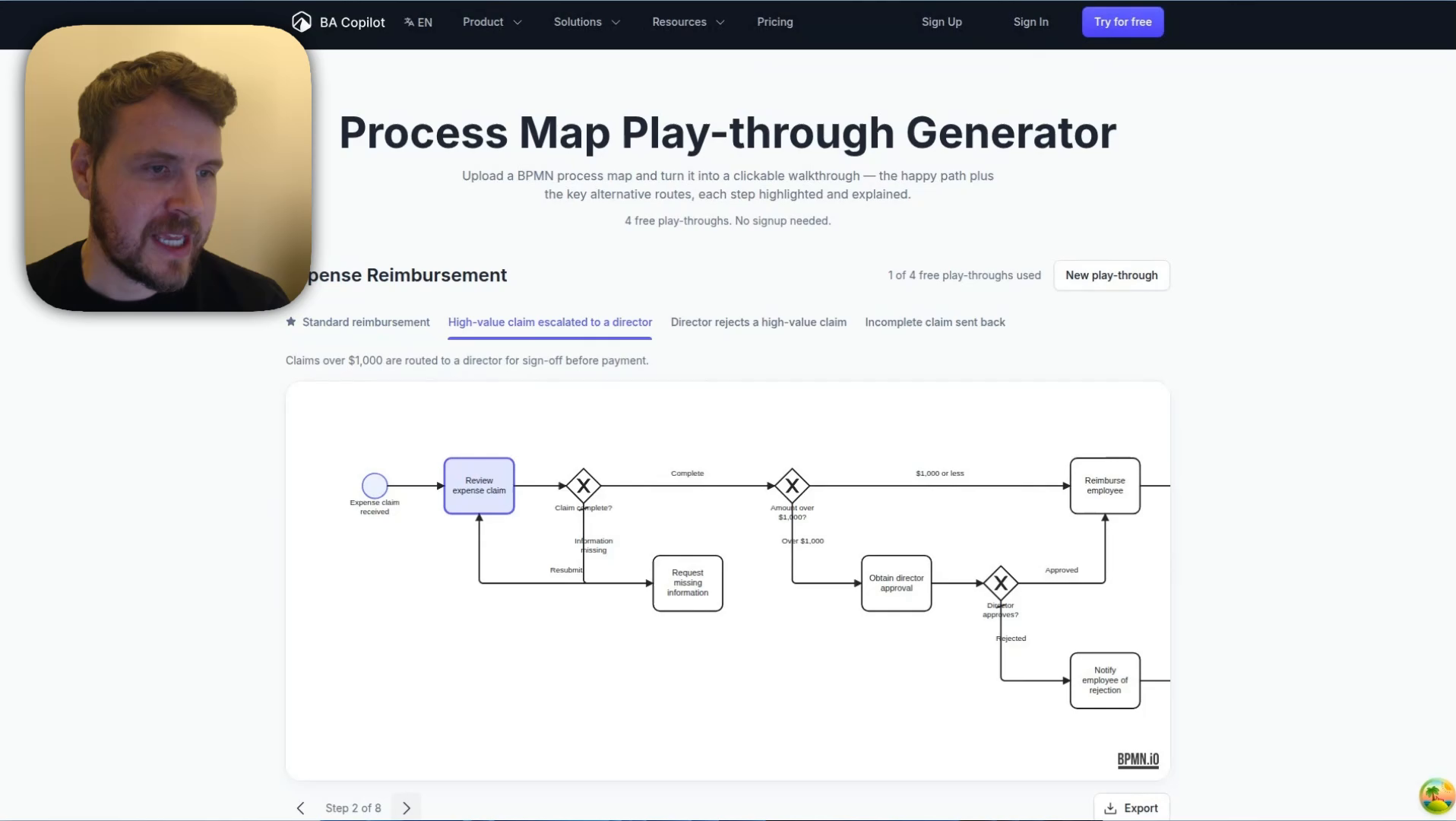
Create a play-through
Open the Process Map Play-through Generator.
Upload a BPMN file, or use the sample diagram if you want to test the workflow first.
Wait for BA Copilot to identify the process routes.
Open each route tab to step through the highlighted path.
Use the explanation beside the map to walk stakeholders through what happens at each step.
When to use it
When stakeholders need to understand a process without reading the whole diagram at once.
When a BPMN file has multiple routes, decisions, or exception paths.
When you want a clearer review walkthrough before a workshop or handover.
Tips
Use a clean BPMN file with clear task and gateway labels.
Review each generated route before sharing it with stakeholders.
If the play-through misses a path, simplify or relabel the BPMN file and try again.
Open the Process Map Play-through Generator
Watch the process play-through demo
Watch a short demo of turning a BPMN file into a clickable process play-through.
Was this helpful?
Still need help? Ask the team