Easier-to-Read Process Maps
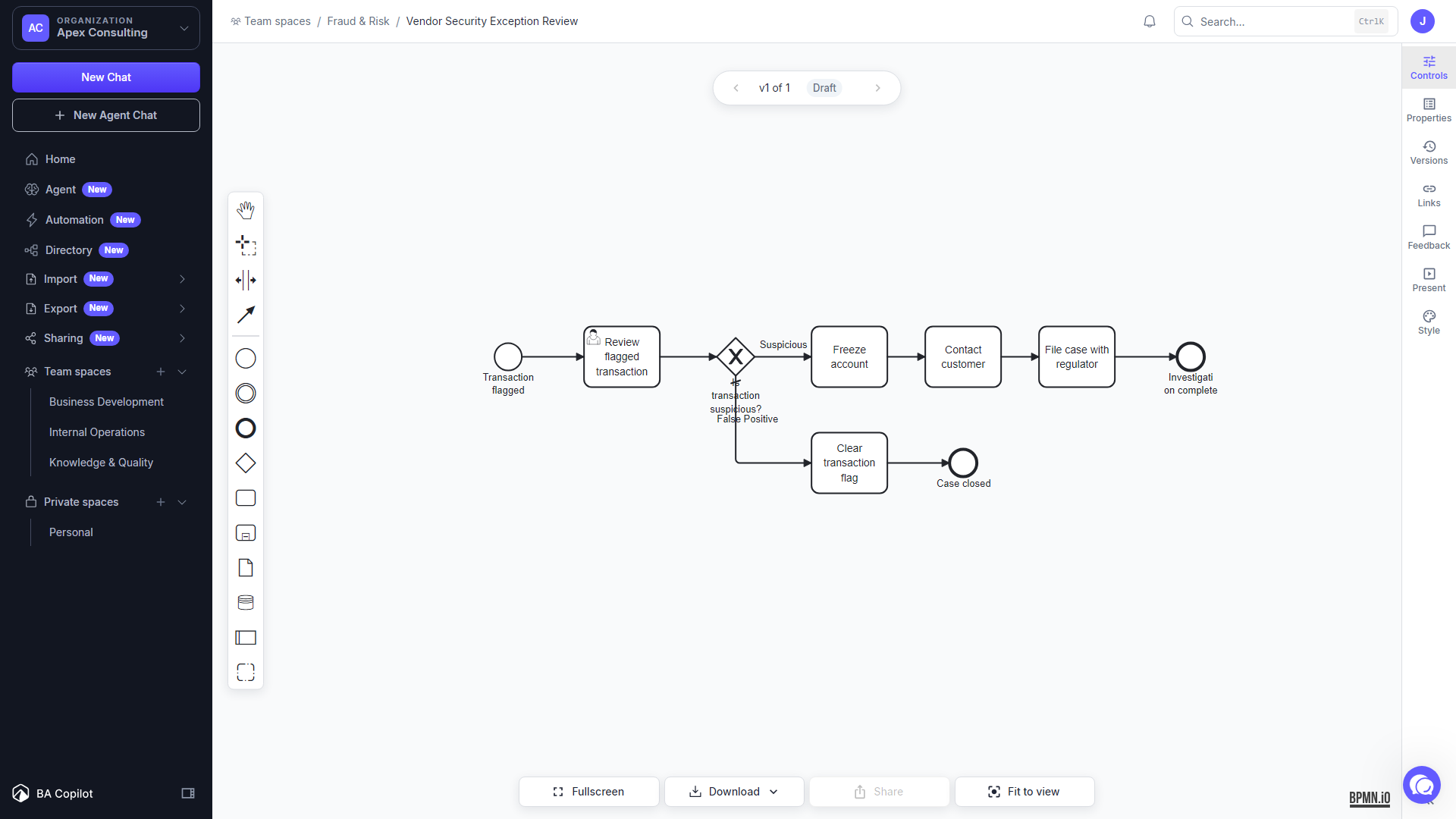
BA Copilot renders task, lane, event, gateway, flow, and annotation labels with larger, more consistent text when space is available.
Written By Jack Finnegan
Last updated About 2 months ago
Where the improved text appears
BA Copilot renders task, lane, event, gateway, flow, and annotation labels with larger, more consistent text when space is available. Shape positions, label positions, and the process map layout stay the same.
The improved rendering appears in:
the main process map editor
read-only process map views
thumbnails and play-throughs
PNG, JPEG, and SVG exports rendered by BA Copilot
PDF and Word exports rendered by BA Copilot
No setting is required. Open a process map or create an export to use the improved typography.
Choose the right export when typography matters
The typography is applied while BA Copilot renders the process map. It is not stored in the BPMN file and does not change the underlying XML or geometry.
If you open the BPMN file in Camunda, bpmn.io, or another process modelling tool, that tool applies its own text styles. To preserve the BA Copilot appearance for a document or presentation, export the map as an image, PDF, or Word document instead.
Was this helpful?
Still need help? Ask the team